Brand Portal - Bulk Edit Product Catalog
 Updated 2 weeks ago
With the Bulk Edit tool, you can easily update product catalog information for multiple items at once - including images!
Most of the product attributes can be updated all at once, including:
- Brand
- Product Type
- Active Status
- Active = Products actively being sold into the market
- Inactive = Products no longer being sold
- Strain
- Lineage
- Weight
- Weight Unit
- Description
- Instructions
- Ingredients
- Allergens
Actions:
Add
Adds the target item that is selected, but keeps all the existing ones.
Remove
Removes the target item that is selected, but will keep any not selected.
Replace
Replaces the existing items in these fields and replaces them with the selected target items.
- Terpene Actions:
- Terpene Actions: Add / Remove / Replace
- Target Terpenes: Select the Terpene you want to add / remove / replace, depending on what action you selected
- Effects Actions:
- Effect Actions: Add / Remove / Replace
- Target Effects: Select the Effects you want to add / remove / replace, depending on what action you selected
- Flavor Actions:
- Flavor Actions: Add / Remove / Replace
- Target Flavors: Select the Flavors you want to add / remove / replace, depending on what action you selected
- Attached Image Actions
- Remove All Attached Images: this option will remove all existing images from the selected products.
- Remove Specific Attached Images: this option will remove individual images that you select from the 'Target Images' selection.
- Attach New Images: this option will allow you to add one or multiple images. Select the image(s) from the 'Target Images' selection.
- Target Images
- Use this field to select the image(s) you want to add or remove from products in your catalog.
Steps to Bulk Edit Product Catalog Details
- Navigate to your Product Catalog in the Brand Portal.
- Product Catalog > Products
- Using the filters, narrow down your search results based on what product attribute(s) you are bulk updating.
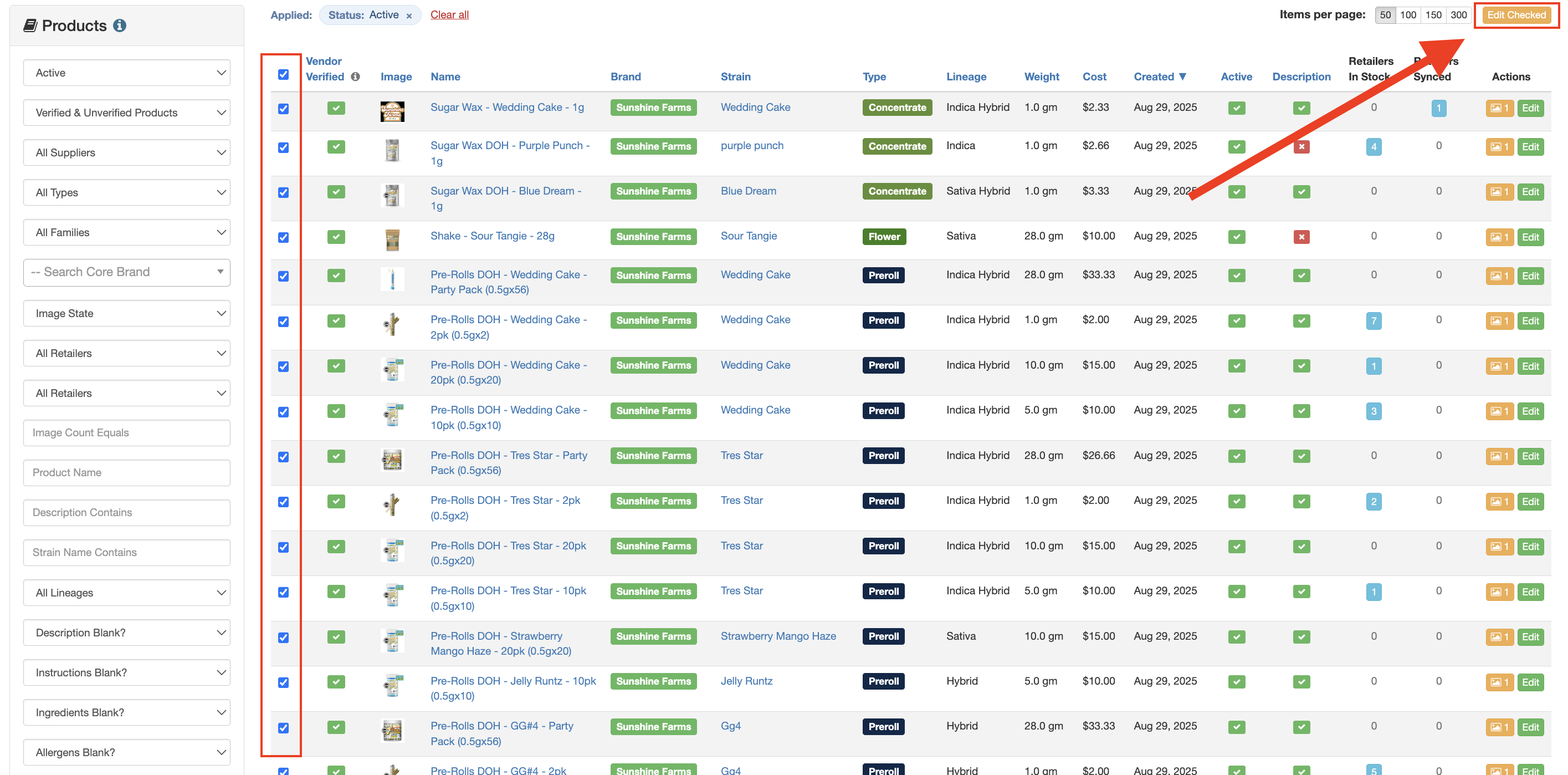
- Select specific products or ALL, then click the orange 'Edit Checked' button.
- Select the product attribute(s) you are bulk editing.
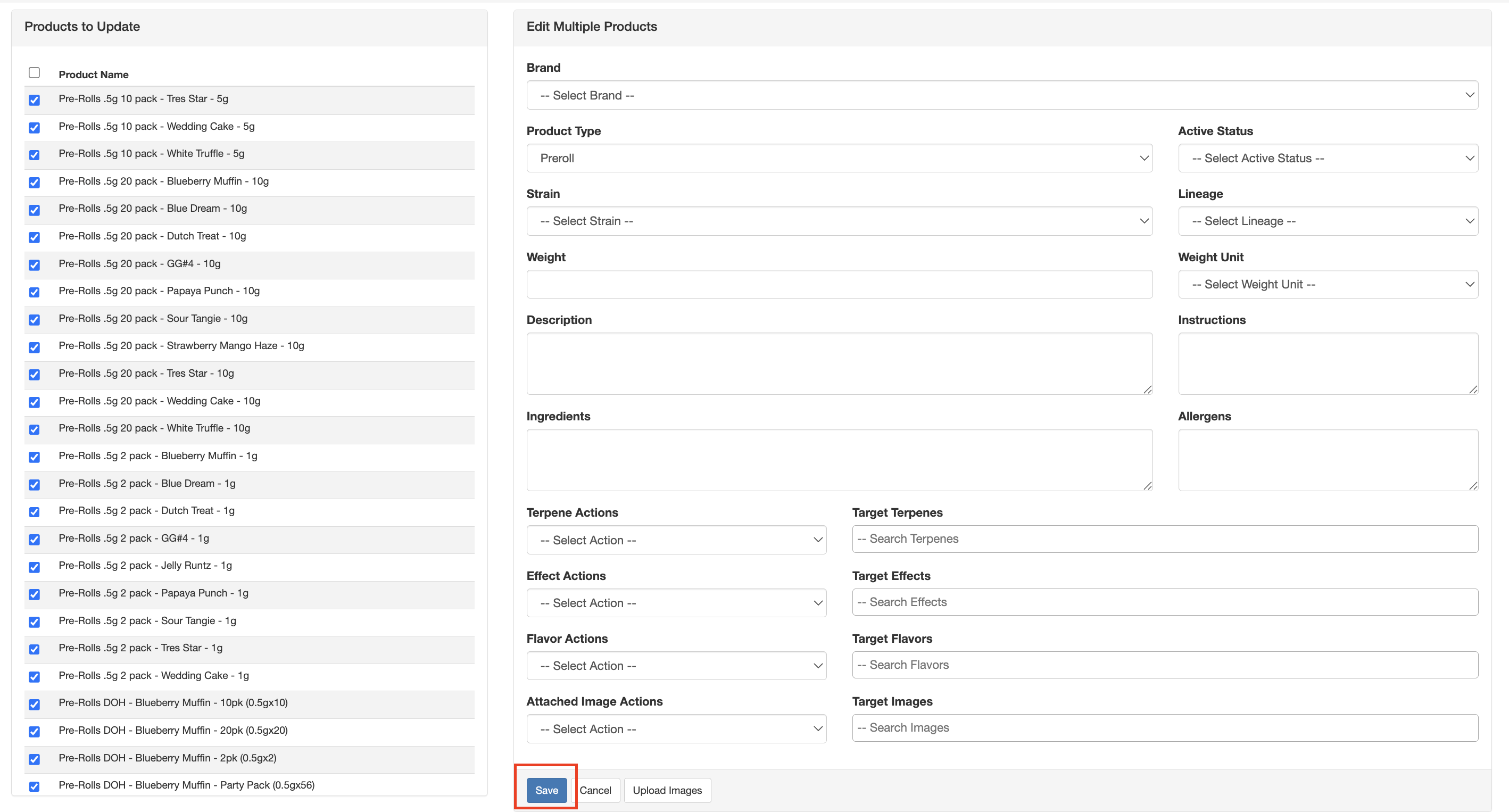
- Hit Save.