Brands and Insights

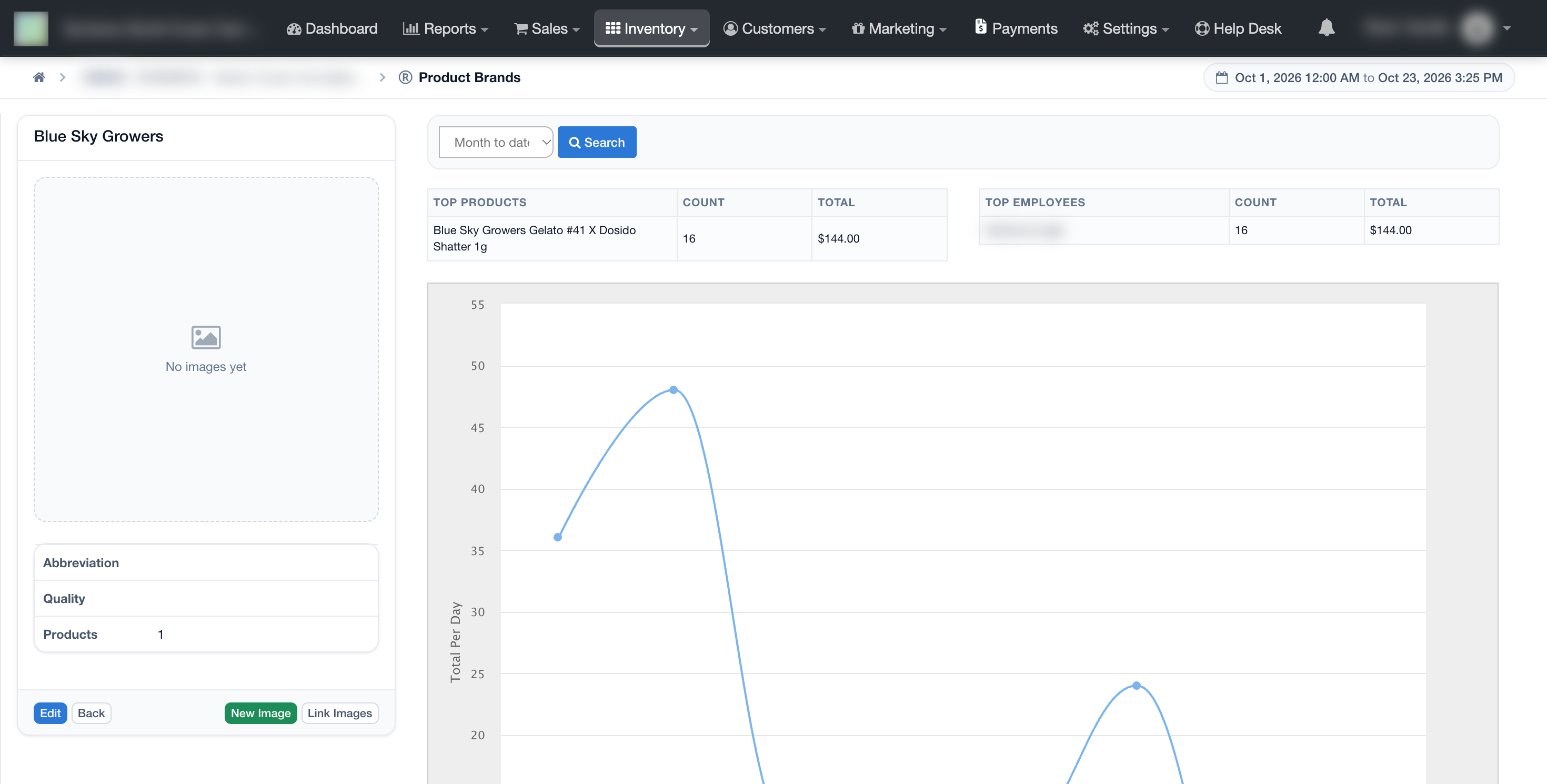
Check out the Brand library and view sales metrics for any brand, by any date range. Various insights can be easily surfaced with the click of a button to help the store figure out how well different brands are performing throughout the store. Information such as top selling products, top employee sales, and sales per day is included.
To view brand insights:
- Log in to the POSaBIT web portal
- Select Product Brands under the Inventory menu at the top of the screen
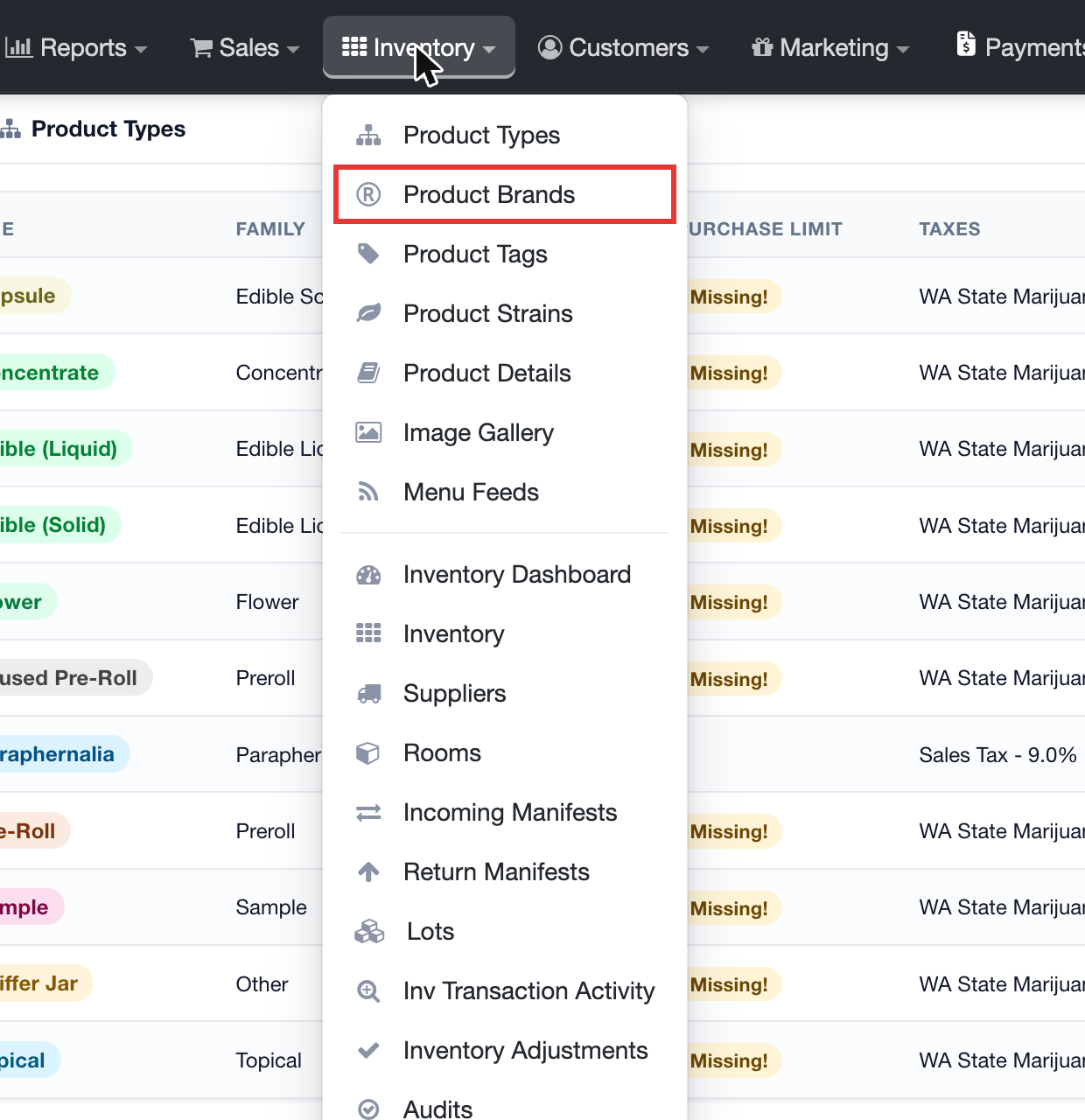
- Search for a brand, and then select the Insights button to view sales data
- Use the date range drop-down at the top and click Search to change the period
For additional assistance please reach out to POSaBIT support @ 1 (855) POSaBIT OR SUPPORT@POSaBIT.COM