Inventory Values Report

The Inventory Values report displays inventory quantities across all products to help you better track your inventory on hand. There are two views of this report, which you can switch between using the Legacy and Beta tabs at the top of the page.
Legacy
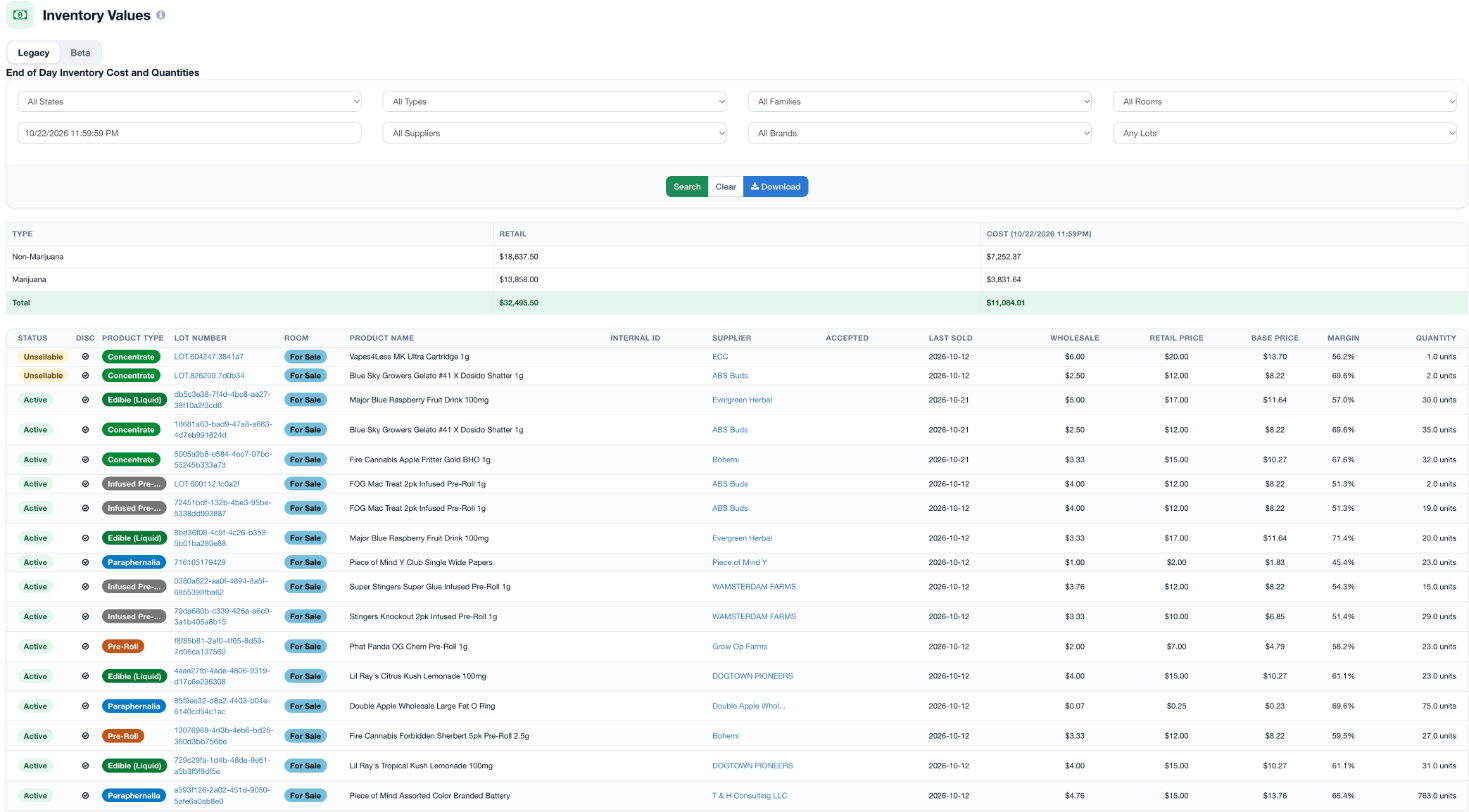
At the top of the page, you will find a simple table breaking down the retail price and the cost of total products by type (Marijuana and Non-Marijuana). Below this overview is a table containing a breakdown of each product. This table contains data for each product, such as status, room, wholesale price, retail price, base price, margin, and quantity on hand. Use the filters at the top (state, type, family, room, supplier, brand, and lots) and the date field to narrow down the report, then click Search.
You can also access more information on an individual product by selecting the blue lot number or supplier for that product.
Beta
The Beta view shows the same inventory in a table you can search and filter column by column. Type into the box under any column header (such as Product Name, Lot Number, or Brand) to filter by that column, and use Columns to show or hide columns. Marijuana, Non-Marijuana, and overall totals are shown at the bottom of the table.
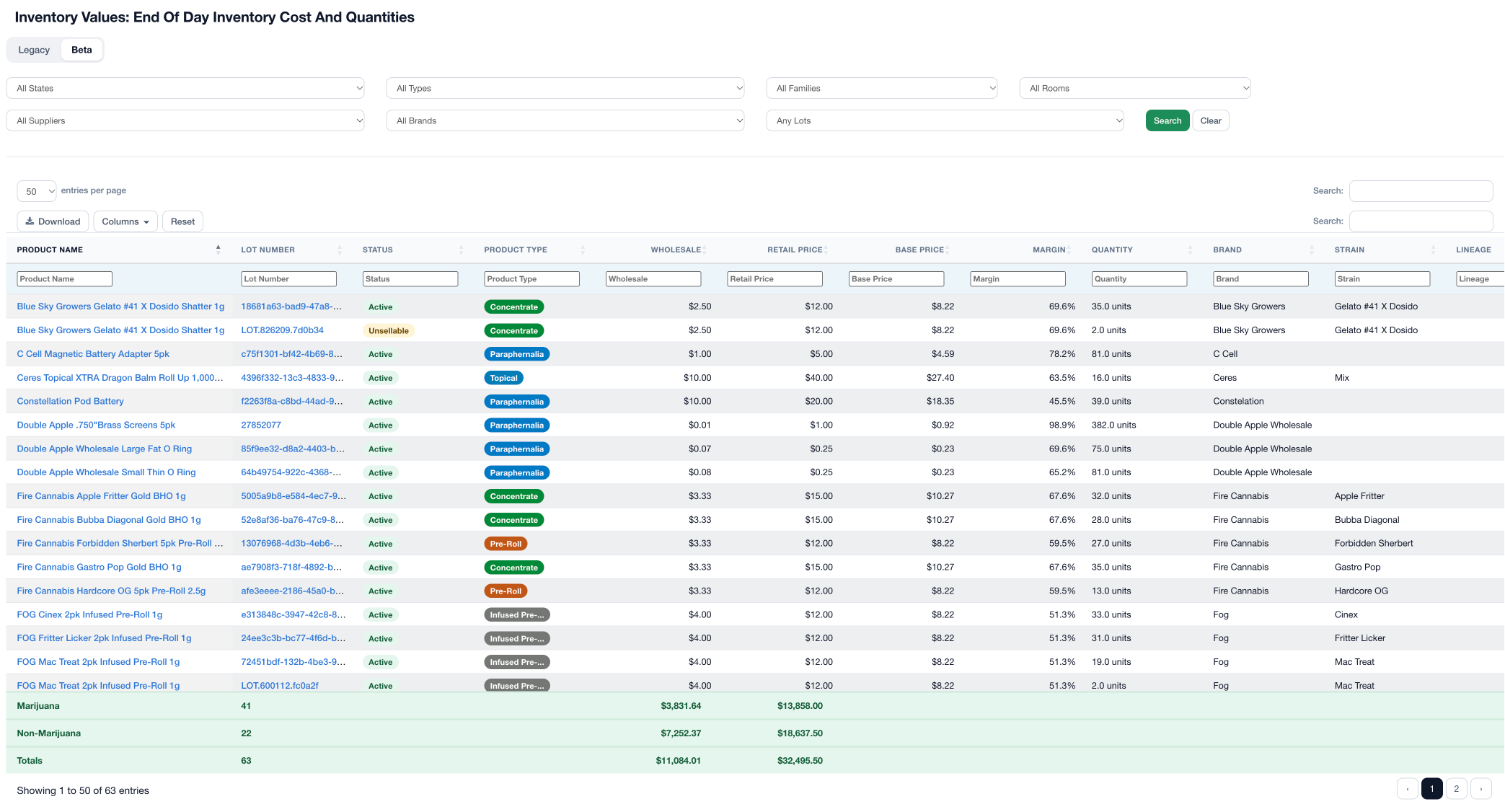
To download a full report with additional data, click the Download button.

For additional assistance please reach out to POSaBIT support @ 1 (855) POSaBIT OR SUPPORT@POSaBIT.COM