Sales by Product Family Report

The Sales by Product family report provides a sales summary of totals by product family over any given date range. There are two versions of this report, which you can easily switch between using the orange button in the top right corner of the page. There is a "Legacy report" and a "V2 Report". See below for a breakdown of both:
V2 Report
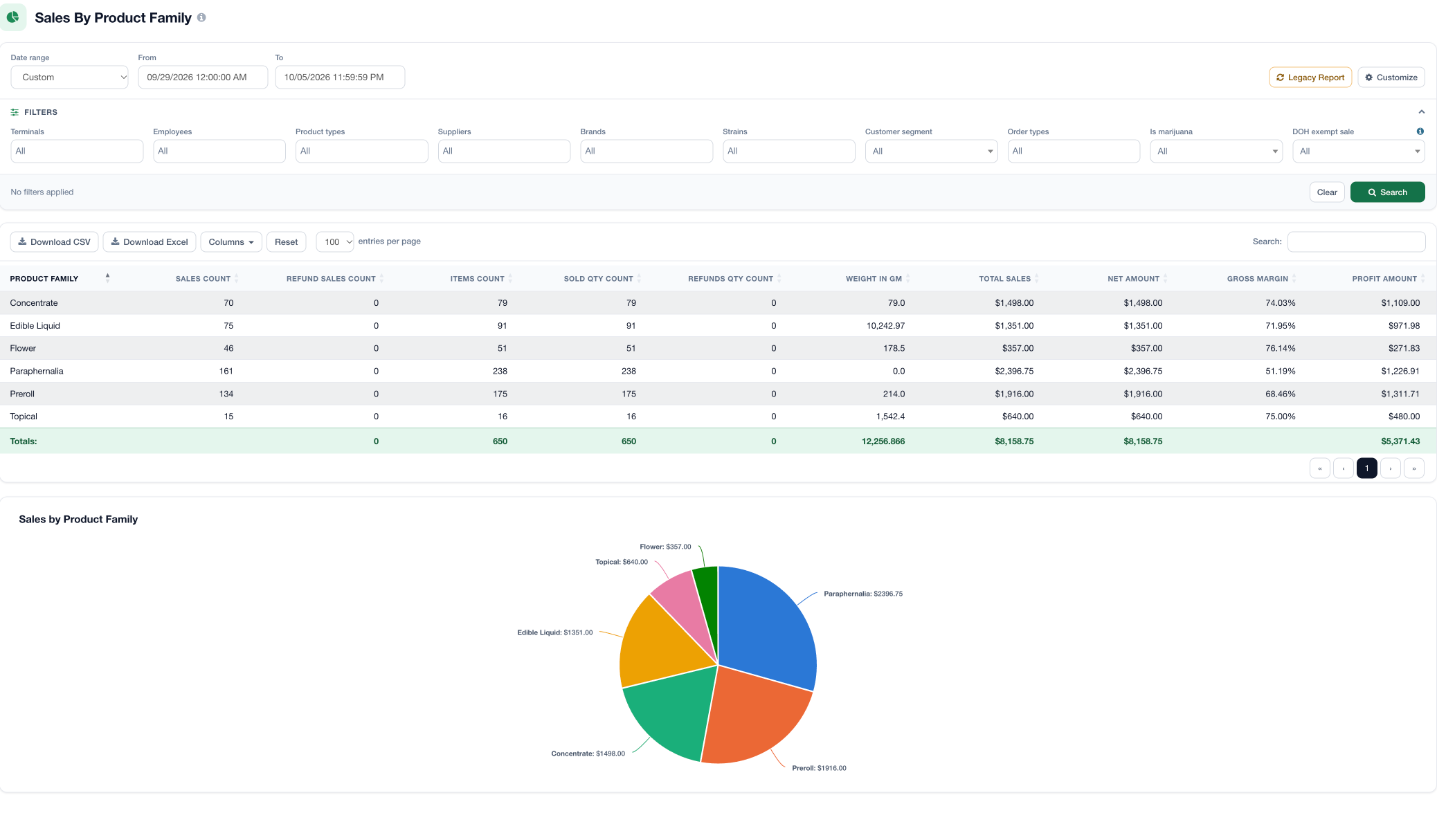
The V2 report includes a table with sales information related to the different product families, along with a pie chart below to see more of a visual representation of sales. The V2 report is also customizable, so you can display more specific data. At the top of the report, there is an assortment of filter options, which will also help you narrow down the report.
Customize this Report:
At the top right of the report, next to Legacy Report, there is a "Customize" button. Click this to customize your report, and you can even save the report to be used again. Learn all about custom sales reports HERE.
Download the Report:
Click the Download CSV or Download Excel button at the top of the table to download this report.
Legacy Report
The Sales by Product Family report provides you with a sales summary of totals by product family, over any given date range. On this report page, you'll find a pie chart and a condensed data table full of sales information, which is broken out by product family. Use the Limit filter to only show your top product families.
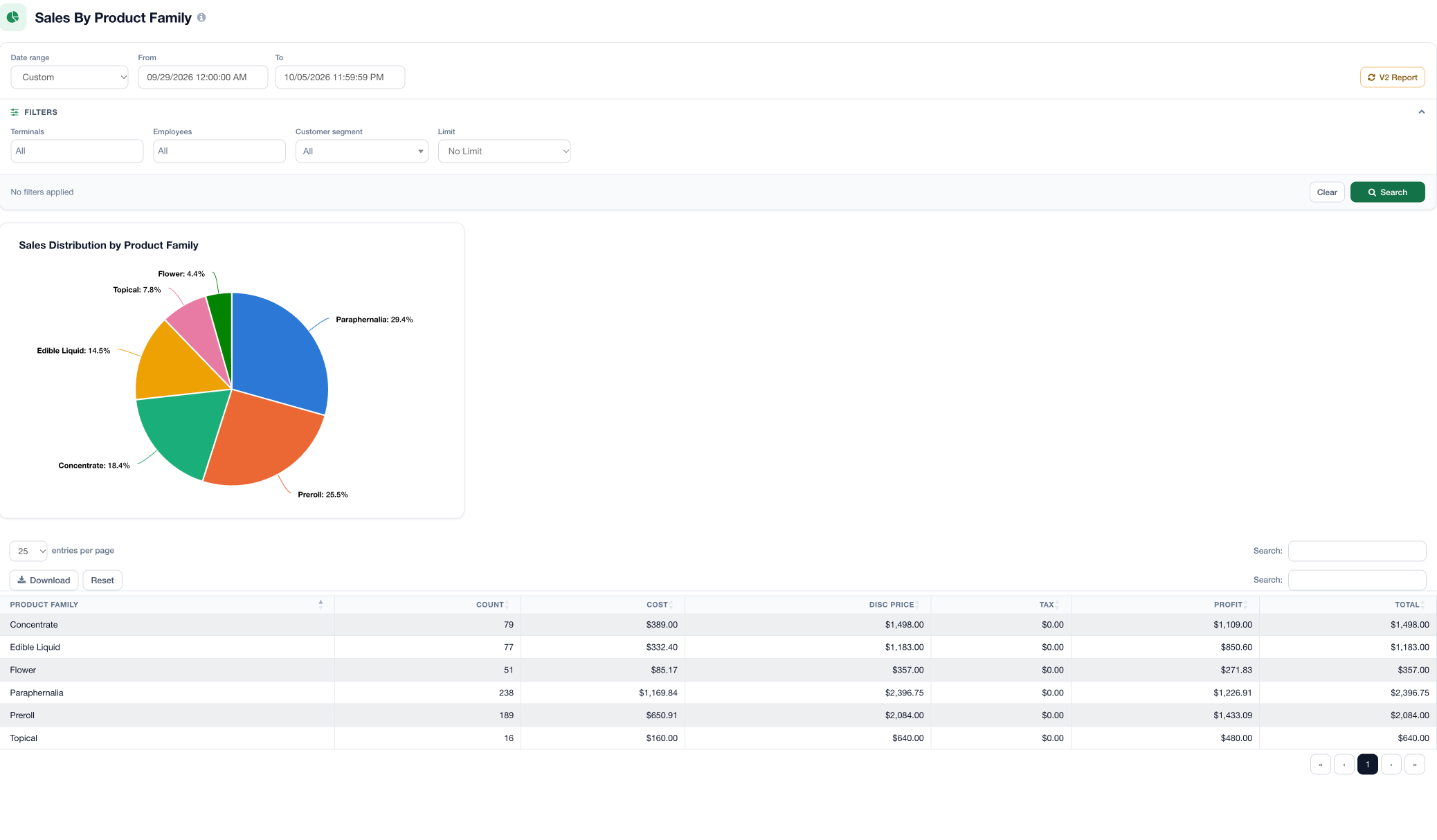
Click the Download button at the top of the table to download this report.

For additional assistance, please reach out to POSaBIT support @ 1 (855) POSaBIT OR SUPPORT@POSaBIT.COM