Merchant Sales Summary Report

The merchant sales summary report is designed to provide a better understanding of the entire company.
At the top of the screen, choose a Date range and, optionally, specific Venues, then click Search. Leave Venues blank to see all venues together.
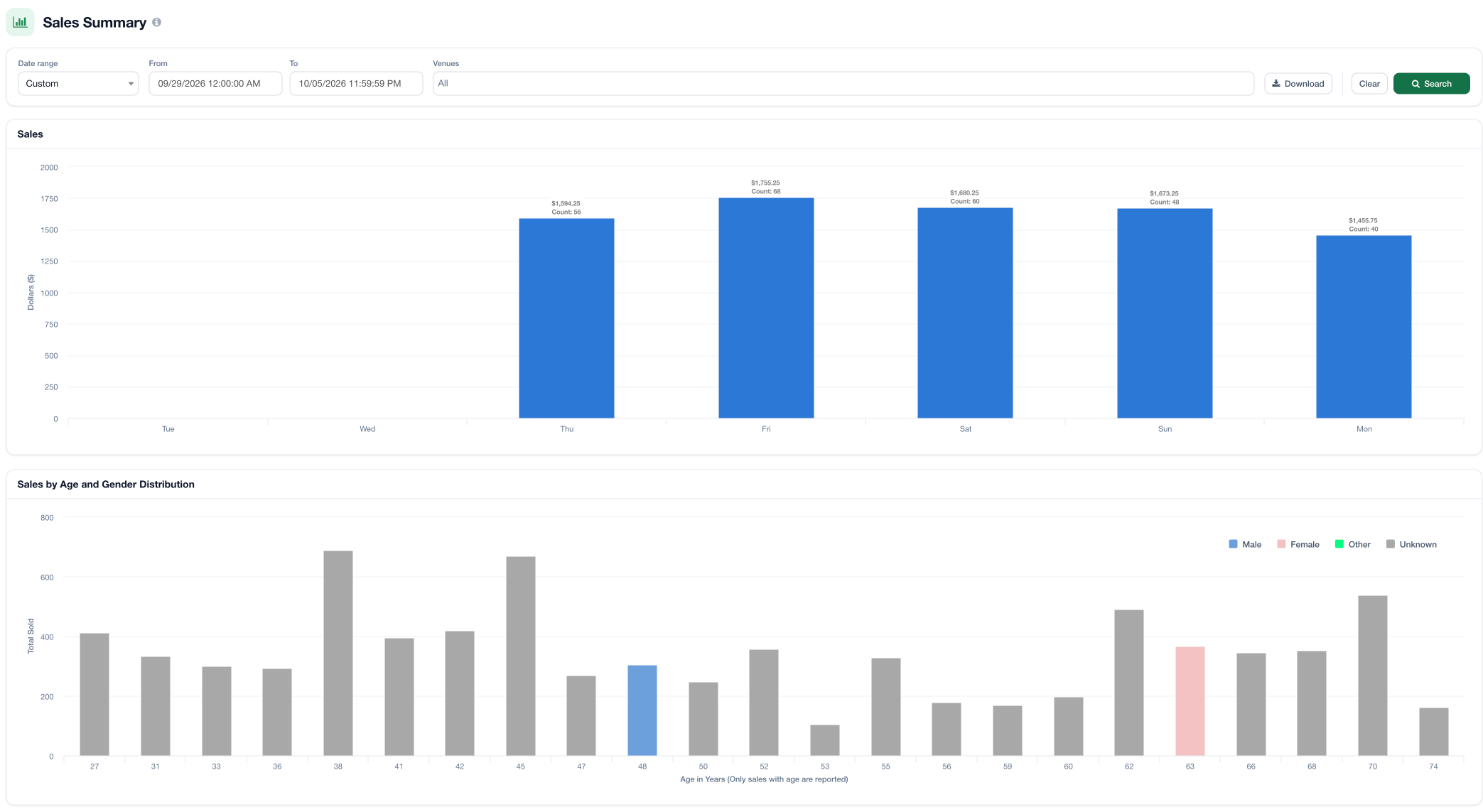
The Sales chart shows total sales and order count for each day (or week, for longer date ranges). Below it, the "Sales by Age and Gender Distribution" chart breaks down all venues' sales data by age and gender. This allows you to get a better understanding of your main demographics for all venues.
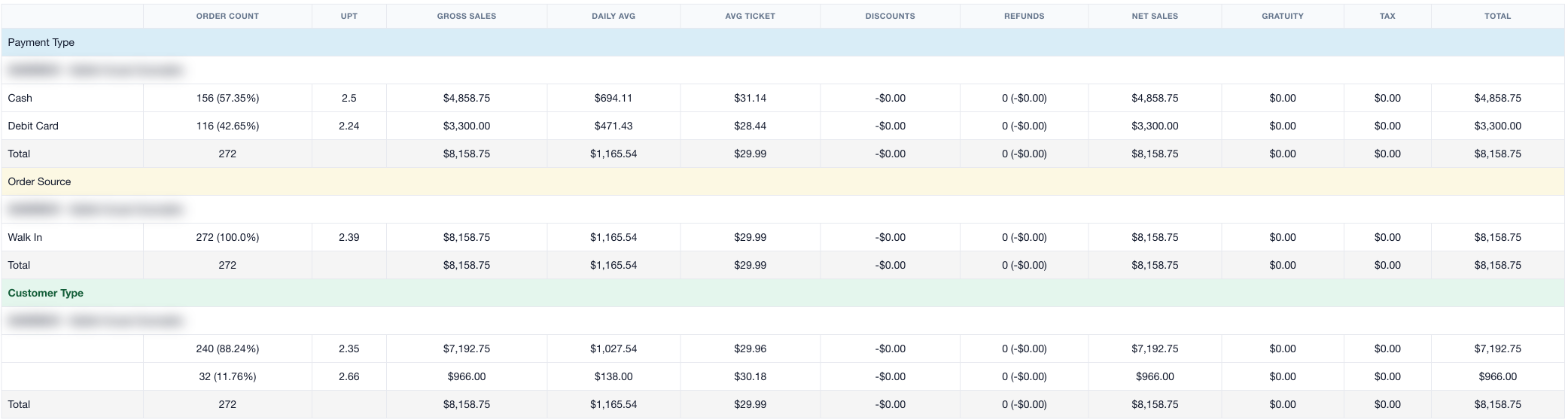
Finally, a table displays general sales metrics broken down by Payment Type, Order Source (walk-ins, online pickups, and online delivery, if enabled), and Customer Type, with a row for each venue. This table is meant to show an overview of the different venues for simple comparison purposes.
To download a report with more information, click the Download button located at the top of the page.
For additional assistance, please reach out to POSaBIT support @ 1 (855) POSaBIT OR SUPPORT@POSaBIT.COM