Customer Insights Overview

The Customer Insights page gives you a quick picture of who your active customers are. See how your customer base breaks down by age, gender, customer type, and customer tag, and how much each group spends at your store.
Opening Customer Insights
- Log in to the POSaBIT portal.
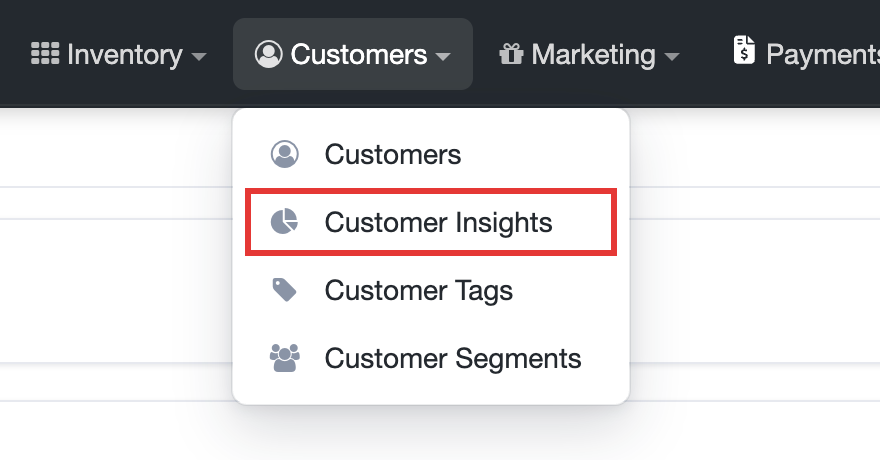
- Open the Customers drop-down at the top of the page and select Customer Insights.
Filtering by customer tag
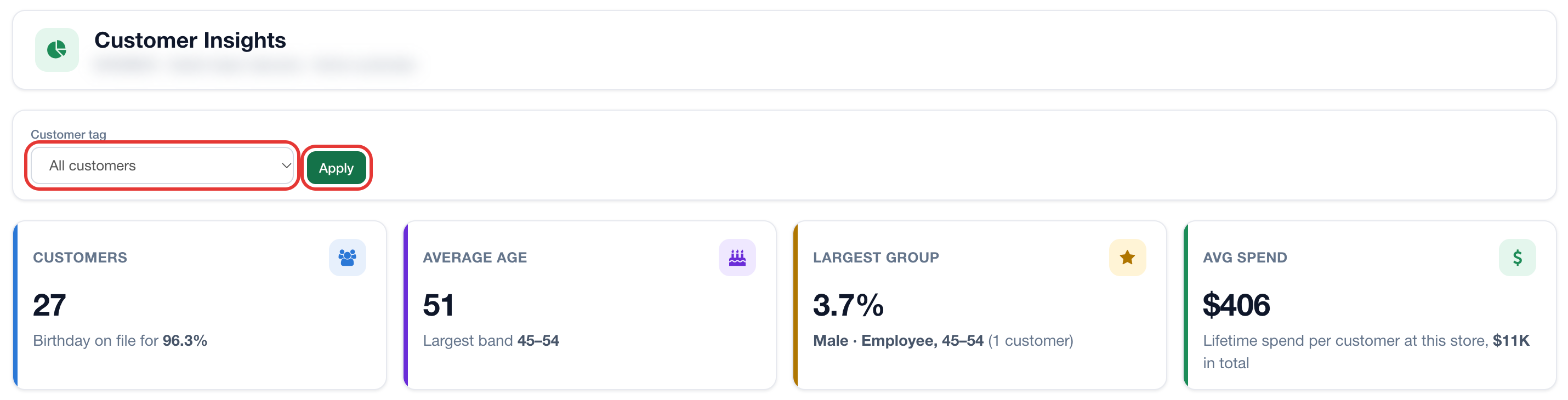
By default, the page shows All customers. To focus on one group, choose a tag from the Customer tag drop-down and click Apply. The page then shows only customers with that tag. To learn how to create tags and add them to customers, see Creating Customer Tags and Linking Customers to Customer Tags.
Summary cards
Four cards at the top of the page summarize the customers you are viewing:
- Customers: The number of customers included, and the percentage of them with a birthday on file.
- Average Age: The average age of those customers, and the age band that contains the most customers.
- Largest Group: The single gender, customer type, and age band combination with the most customers, shown as a percentage and a customer count.
- Avg Spend: The average lifetime spend per customer at this store, and the total lifetime spend for the group.
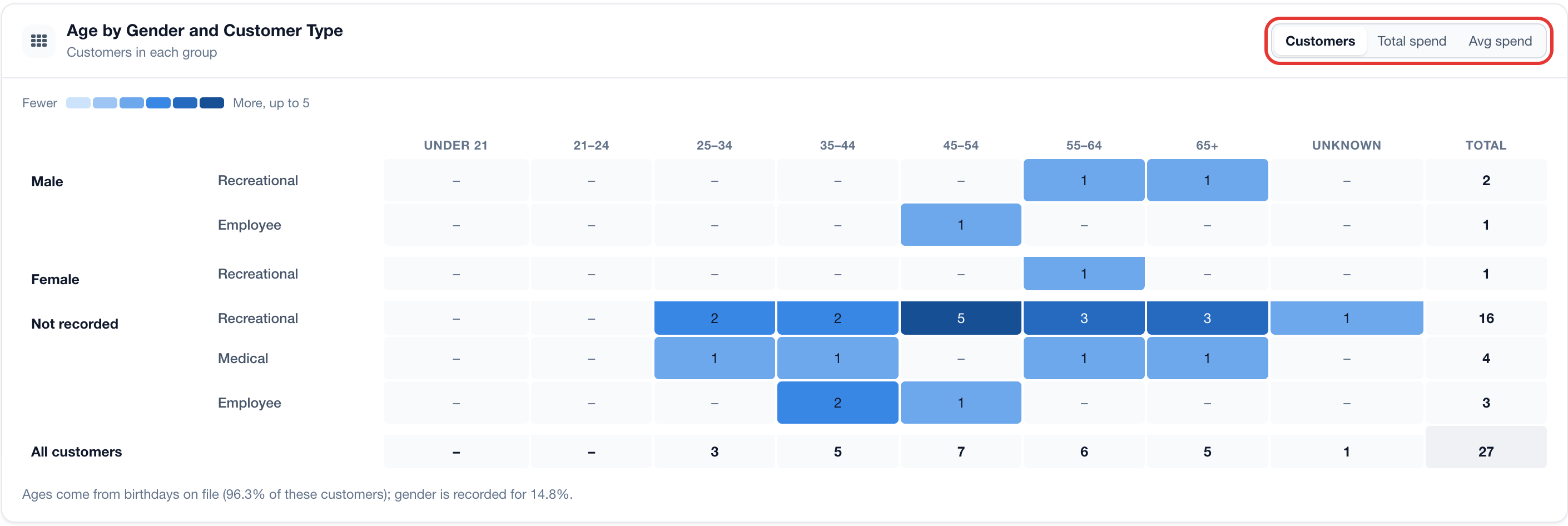
Age by Gender and Customer Type
This table breaks your customers down by gender (Male, Female, or Not recorded) and customer type (for example Recreational, Medical, or Employee), across age bands from Under 21 to 65+, plus Unknown for customers without a birthday on file. The Total column and the All customers row show the totals for each group and age band.
Use the buttons in the top right corner of the table to change what each cell shows:
- Customers: The number of customers in each group.
- Total spend: The combined lifetime spend of the customers in each group.
- Avg spend: The average lifetime spend per customer in each group.
Darker cells have higher values; the legend above the table shows the range. A note below the table shows what share of customers have a birthday and a gender recorded, which affects how complete the breakdown is.
Spend is each customer's lifetime total at this store. In the Avg spend view, averages based on fewer than 5 customers are left unshaded.
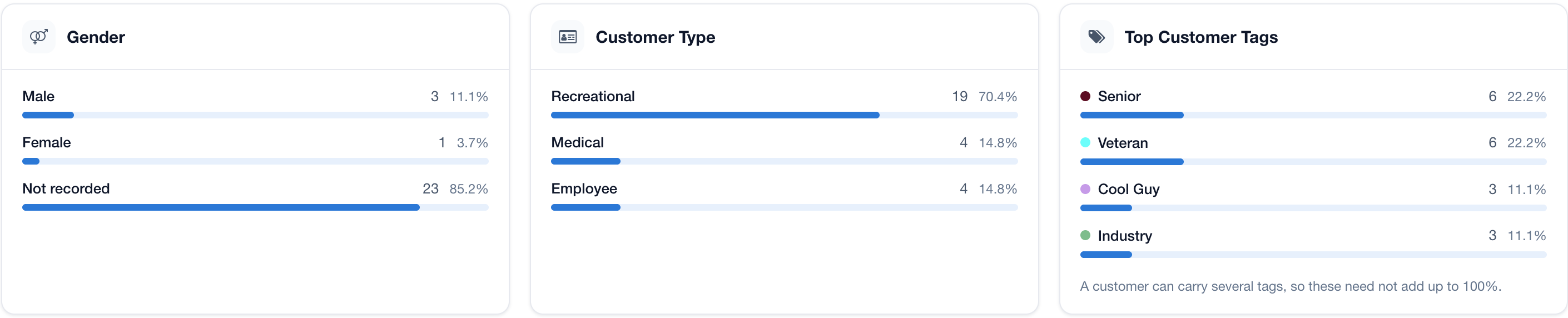
Gender, Customer Type, and Top Customer Tags
At the bottom of the page, three panels show the count and percentage of customers in each:
- Gender: Male, Female, and Not recorded.
- Customer Type: Recreational, Medical, Employee, and any other customer types in use.
- Top Customer Tags: The tags applied to the most customers. A customer can have several tags, so these percentages may add up to more than 100%.
Tip: The more complete your customer profiles are, the more useful this page becomes. Recording birthdays and gender on customer profiles reduces the number of customers shown as Unknown or Not recorded.
For additional assistance please reach out to POSaBIT support @ 1 (855) POSaBIT OR SUPPORT@POSaBIT.COM