Till Order Rounding (NEW)

In April 2026, we added new functionality that allows orders to be rounded in the venues favor, customers favor, or to the nearest increment chosen. Previously, you could enable change rounding through discounts. With this new feature, you now have more customization options for change rounding. Learn how to enable this below. Read this article to learn more about the new functionality.
How to Enable Till Order Rounding:
- Log in to the POSaBIT Portal
- Go to the Settings tab --> General POS Register Settings
- Under the Till & Payment Settings section, locate the settings below:
- Enable Order Rounding: When enabled, your orders will be rounded according to the setup of order rounding settings below this flag.
- Rounding Type: Select one of the options below:
- Always round in venues favor (change rounds down)
- Always round in customer's favor (change rounds up)
- Round to Nearest: Rounds up or down, depending on which is closer.
- Round to: Select what increment you would like the rounding to go to ($0.05, $0.25, or $1.00).
Things to Note:
- Taxes are computed on the un-rounded amount.
- Rounding won’t occur on payment methods that don’t require change. Ex: POSaBIT Pay transactions won’t be rounded even with this feature enabled.
Here is an example of the POS behavior in the scenario where a venue is set to use $0.05 and 'round the nearest' option:
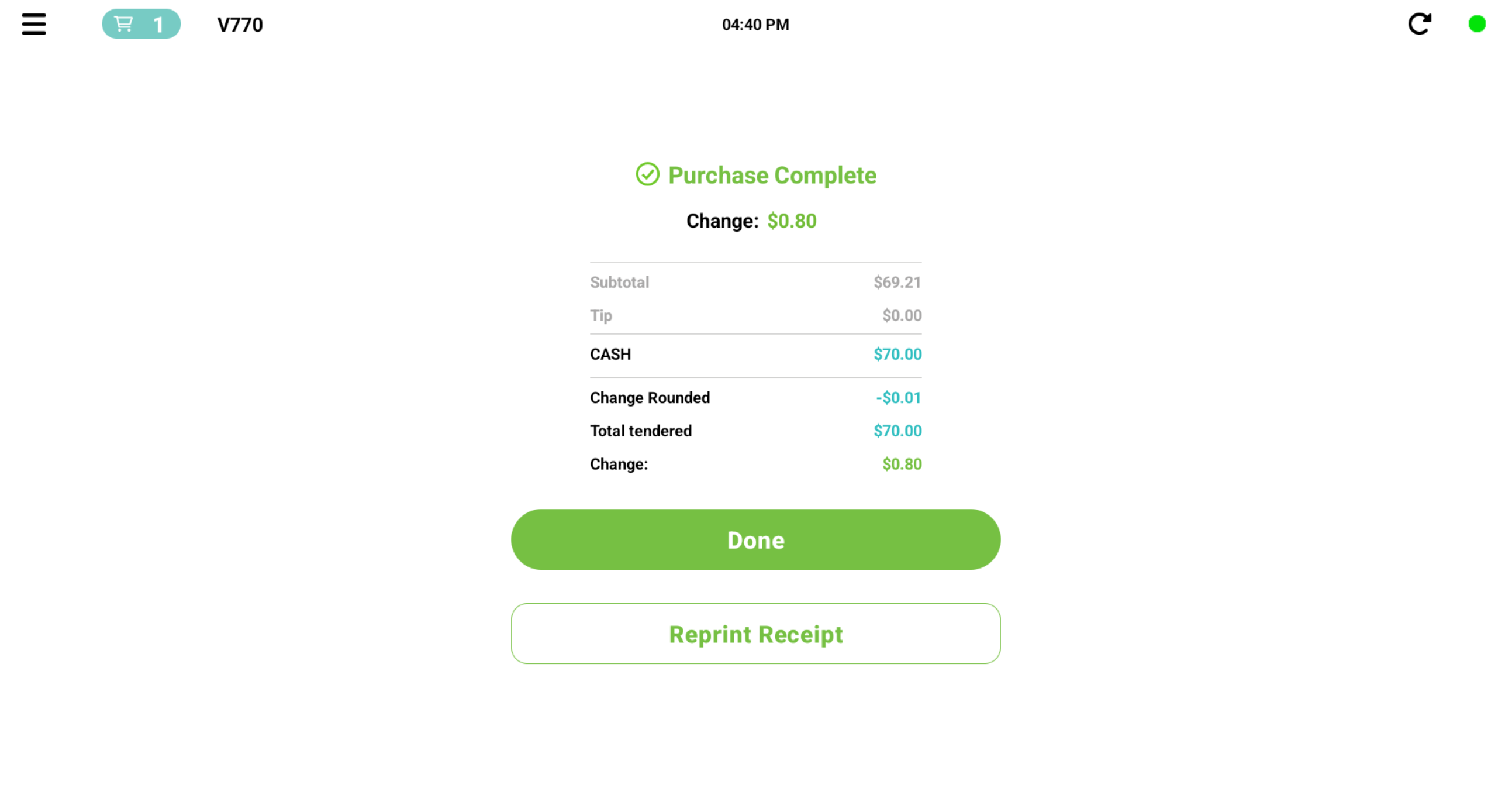
Total = $69.21, Customer gives budtender $70.00 Cash
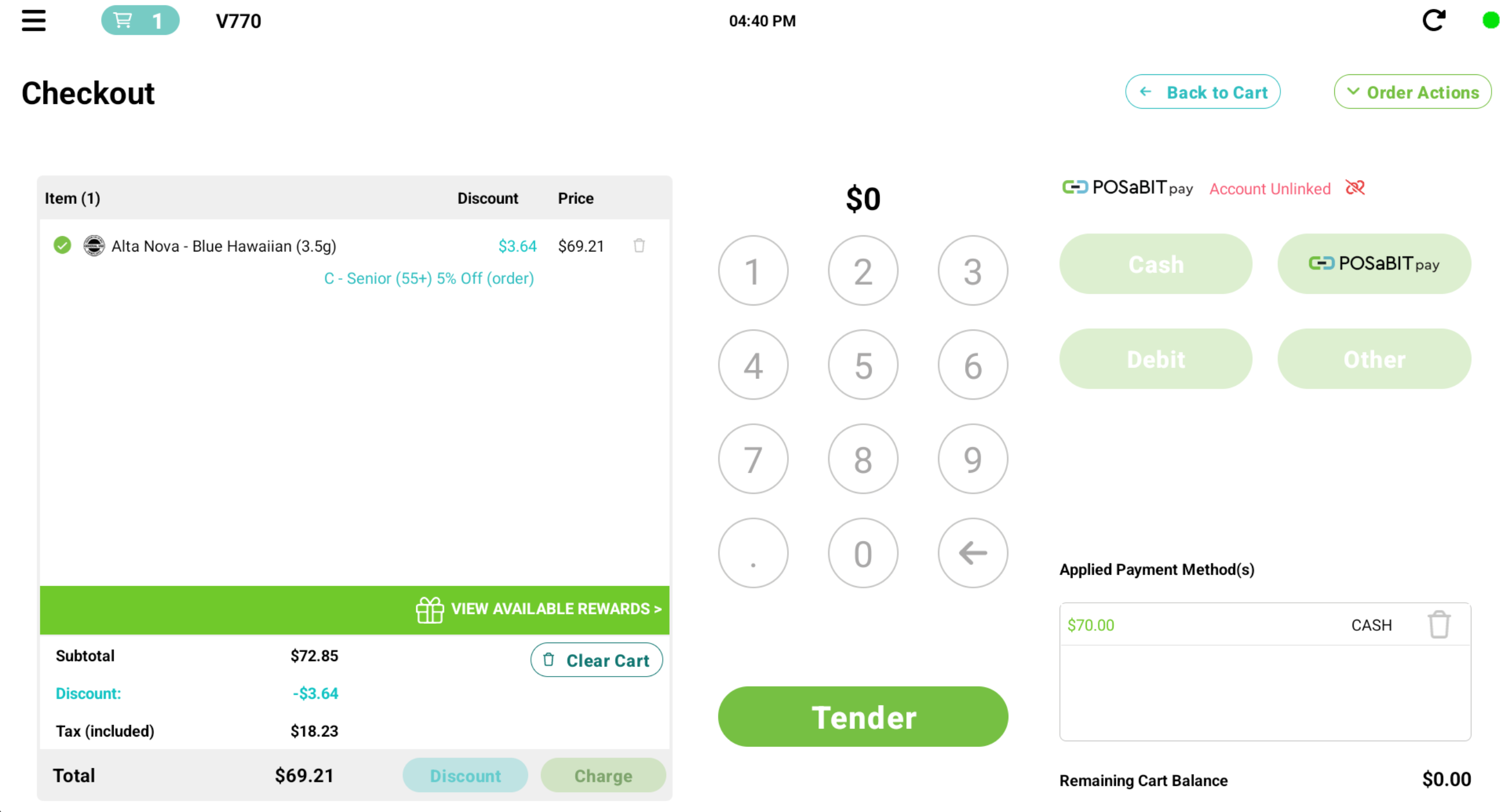
Change Rounded = - $0.01 ($69.21 rounds to nearest $0.05, $69.20)
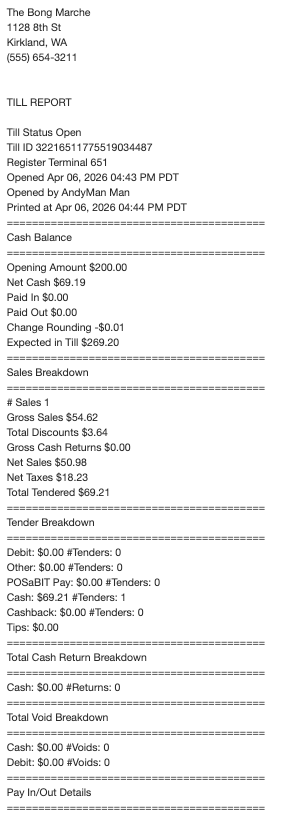
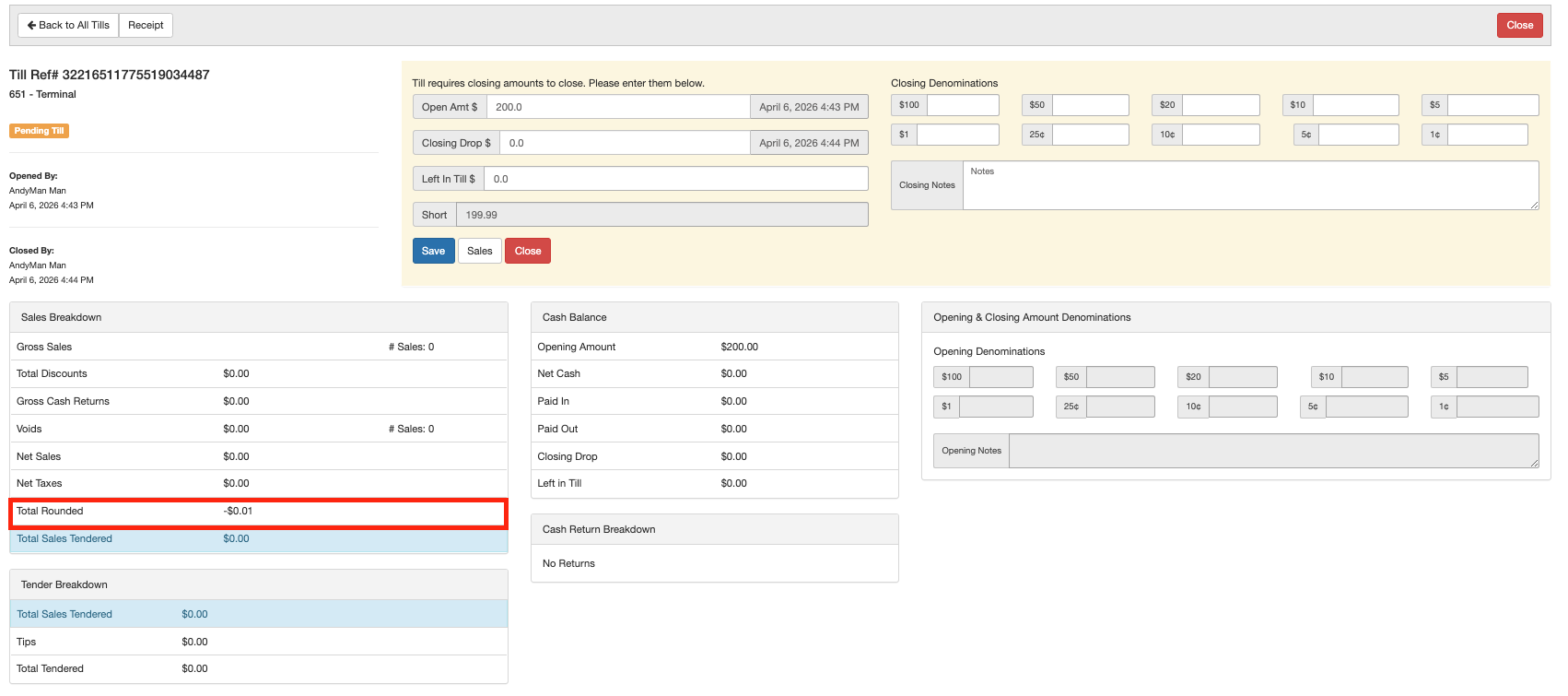
The Till report will show a new Order Rounding line. This new line will be reflected on the portal till report as well.
See the example below:

For additional assistance, please reach out to POSaBIT support @ 1 (855) POSaBIT OR SUPPORT@POSaBIT.COM